
Remote access can be setup for a managed device (where TCS has access all the time to perform system management tasks) or temporary access for non-managed devices for hourly troubleshooting work.
For managed devices, an engineer will be sent to the location to install the software.
For temporary access, you must call or open a ticket first to make sure there is an engineer working on the console for your connection.
To run the software, download it from this LINK.
Once downloaded, it will likely go to your downloads folder. Just run the program (meshagent64-Customers.exe) and press "Connect".
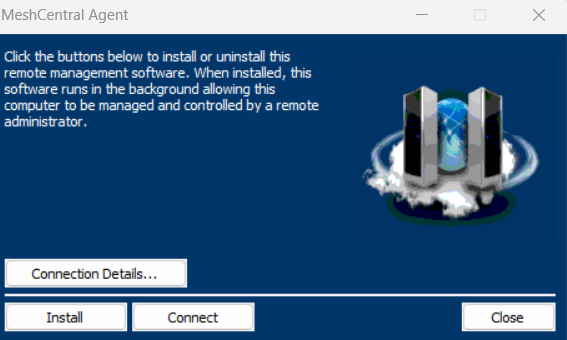
If you select "Install", it will install the software for a managed device, meaning TCS can access the computer anytime. This should only be done for managed clients where our engineers are doing monthly maintenance on the computer or for long established customers.
Special note: To protect Windows users, Microsoft has several warning messages when downloading "exe" files. Please pay attention to each prompt to make sure you complete the download successfully and run the software. The software is safe to run and created my MeshCentral. Please do a Google search on MeshCentral agent software if you have concerns.